Company data from the Business Register
How to import your company's public data from the Business Register, how it stays current, and why finding a company proves no right to represent it.
You do not have to type the company's basic data: Hankevo reads it from the public data of the Estonian Business Register (Äriregister). Use this guide when you set up a workspace, when register data looks out of date, or when you want to verify the workspace.
Before you start
- The name or registry code of an Estonian company. Hankevo does not read the registers of other countries yet.
- The role Member or higher. An Owner or an Administrator links a registry code to the workspace.
Importing
- Open Company profile, section Business Register data.
- Press Import from the Business Register.
- If the workspace has no registry code yet, search for the company by name or code and select it.
- Check what will be imported and press Import.
The dialog says exactly what comes from the register: “Imported: business name, legal form, status, registered address, VAT number, date of founding, activities (EMTAK), representatives, and sales revenue and employees of the latest financial years.”
Afterwards the dialog lists what was added. Representatives and contact details follow a little later; until then the section says so.
What you see after the import
Every fact from the register carries the mark Business Register and cannot be edited by hand: if something is wrong, it has to be corrected in the Business Register itself. Under the section you can read when the data was imported and the date it reflects.
How the data stays current
Hankevo reads an imported company's data from the register again regularly. A refresh changes only values that came from the register, never what you added yourself. For the latest state now, press Import again. A new financial year's figures arrive once the register publishes them.
Finding is not representing
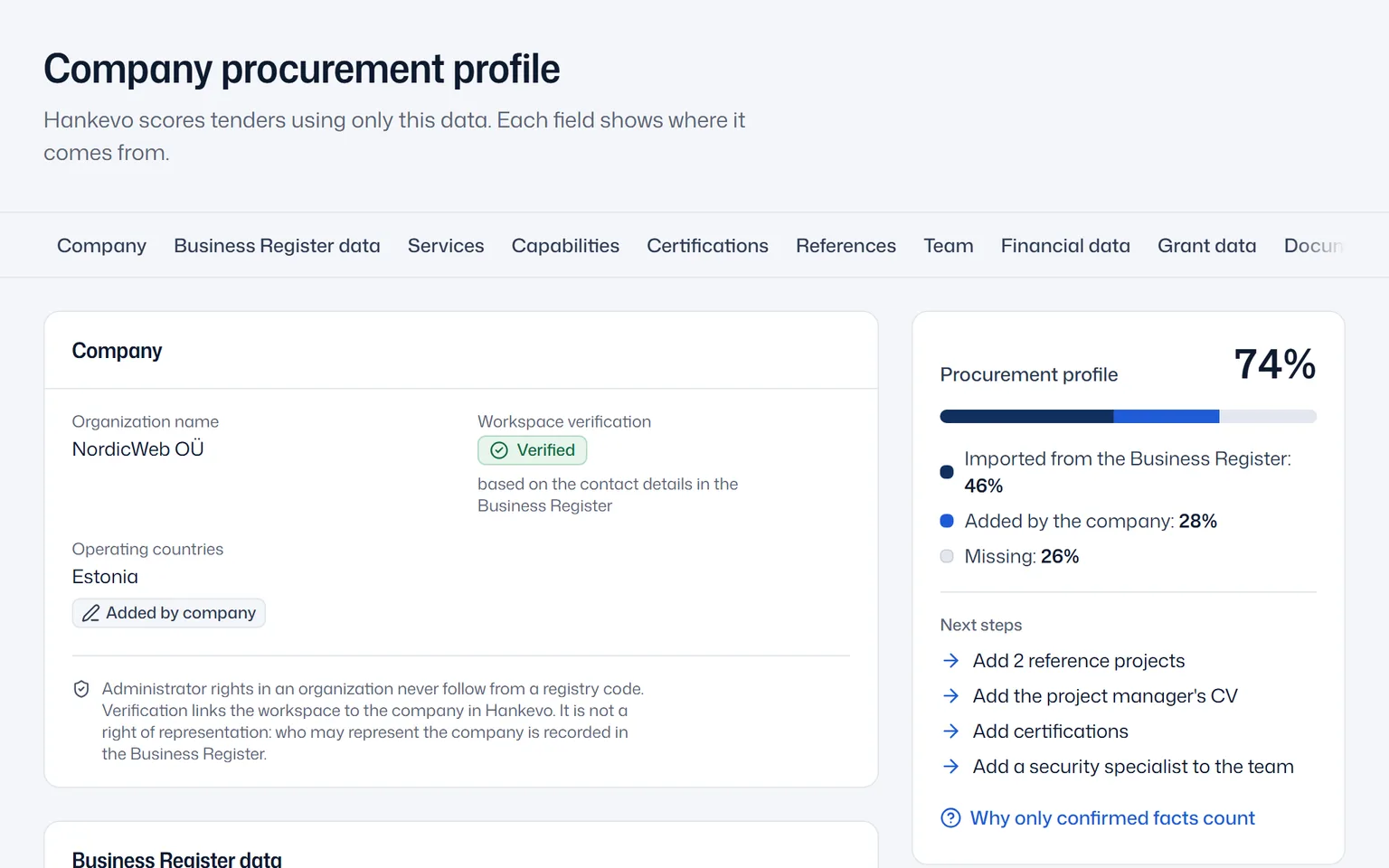
Anyone can find a company in the Business Register, so a registry code proves nothing. Until the workspace is verified, it carries the mark Not verified.
An owner or an administrator verifies the workspace on the same page, in the section Company, with the button Verify with the register's contact details. It succeeds when your confirmed email address is listed in the Business Register as a contact of the company, or is at the domain of the company's registered website. An address at a general email service counts only when the register lists exactly that address.
If verification does not succeed, the message says why: the address does not match the register, the contact details have not been read yet, or a workspace for this company is already verified. The registry code of a verified workspace can no longer be changed. Verification marks the workspace; it gives nobody extra rights and changes no member's role.
Limits
Hankevo uses public register data only and fetches no annual report files. The data is as of the day shown under the section; the official state is always in the Business Register.
Last checked October 19, 2026