The free preview and the free workspace
What you see before choosing a plan: the public preview page about your company and the free workspace, and what each shows and does not show.
Before you choose a plan, Hankevo shows you two things: a public preview that needs no account, and a free workspace that you get when you create an account. Neither asks for a card.
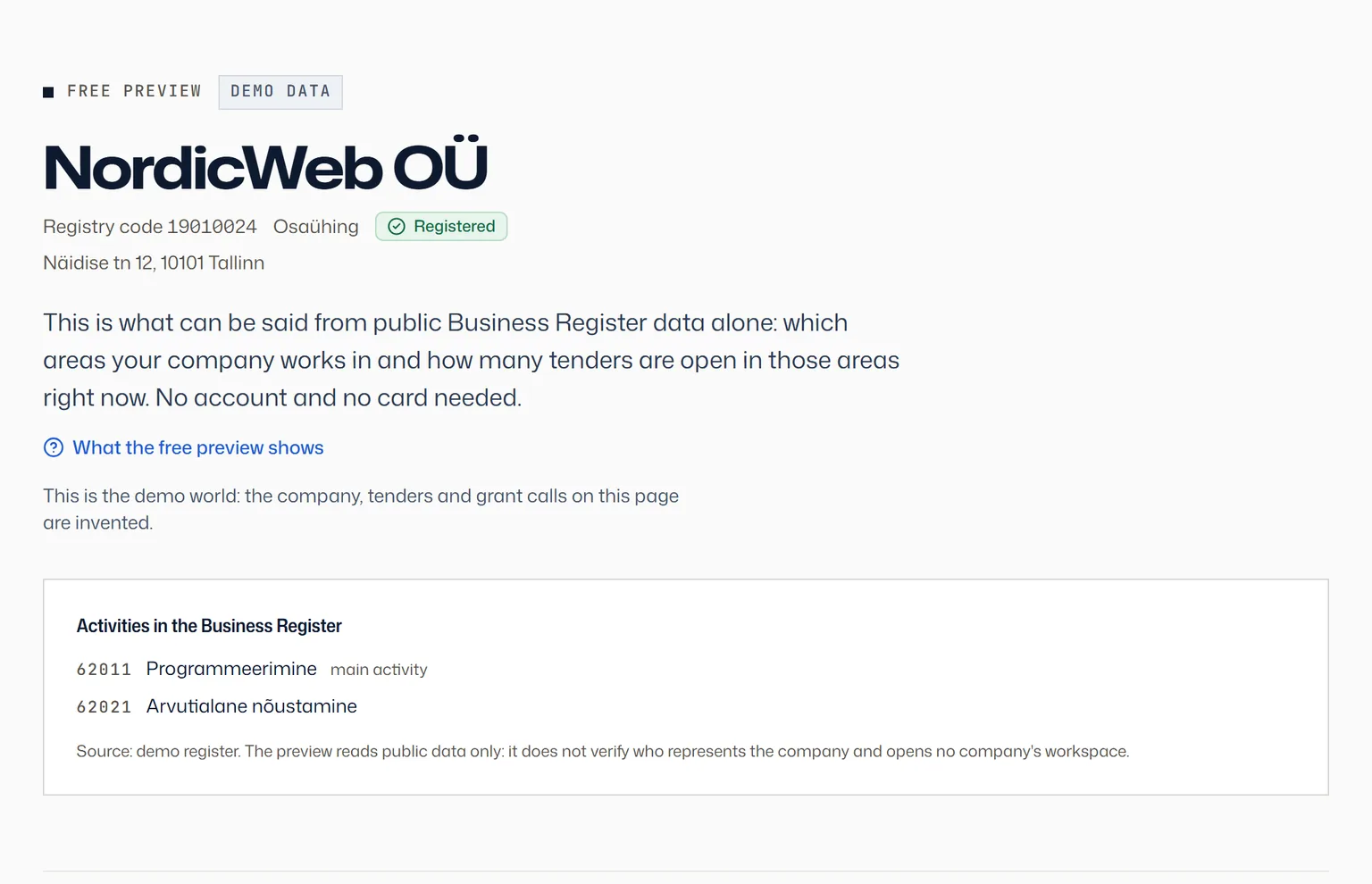
The preview page
Search for your company on the home page by name or registry code and press See the free preview beside the result. The preview page opens. It rests on public data only:
- The company. Name, registry code, legal form, status, address and activities from the Business Register (Äriregister), with the date of the data.
- Areas. Tenders are classified by the Common Procurement Vocabulary (CPV). Hankevo derives approximate CPV areas from your activities. Remove an area that does not describe your work, add a missing one and press Update the preview.
- Open tenders. How many tenders are open in those areas right now, and a few examples with the reason, the deadline and a link to the official notice.
- Funding calls. How many calls in the catalogue are open or about to open, and a few examples.
- Sources. When each source was last read.
What the preview does not show
- There is no fit percentage. Every example carries the marks Possible match by sector and Qualification not assessed: the tender is in your area, but its requirements have not been compared with your company.
- The fit of a grant is not assessed. A grant is given to a project, so without a project nobody can say whether a call suits you.
- Nobody's right to represent the company is checked, and no workspace's content is opened.
When no tenders are shown, the page says why: no tender is open in these areas right now, a source is not up to date, or the catalogue could not be read. These are different things, and only the first is a result.
The free workspace
Press Create a free workspace at the end of the preview. After creating an account and an organization you can import the company's data from the Business Register, describe your services, and see tenders that were compared with your profile, each match with its reason.
The page Settings, section Plan, says what is available in your workspace at the moment. A workspace without a subscription has the plan name Free preview there.
The requirements of a tender notice, the comparison of fit and drafts assembled from your data do not need AI.
In the demo the preview's company, tenders and calls are invented, and the page says so. For the plans, see plans and what they include.
Last checked October 20, 2026