The application workspace
How to connect a project to a call and prepare the application - sections and drafts, documents, the checklist, deadlines and readiness.
The application workspace is where one project and one funding call meet: what the call asks for, what is ready and what is missing. Hankevo helps you prepare the application; you submit it yourself, in the funder's own system.
Connect a project to a call
- Open the call from Grants and choose a project in the row “Compare with a project”. An application is always prepared for one project.
- Review the section “Eligibility”. If a mandatory requirement is blocking, resolve it first or choose another call.
- Choose “Prepare an application”. The button is there while the call is open or forthcoming, its deadline is ahead and you may edit applications.
Hankevo creates the application with its parts, the default tasks and the budget lines. All your applications are on the Applications page.
The tabs
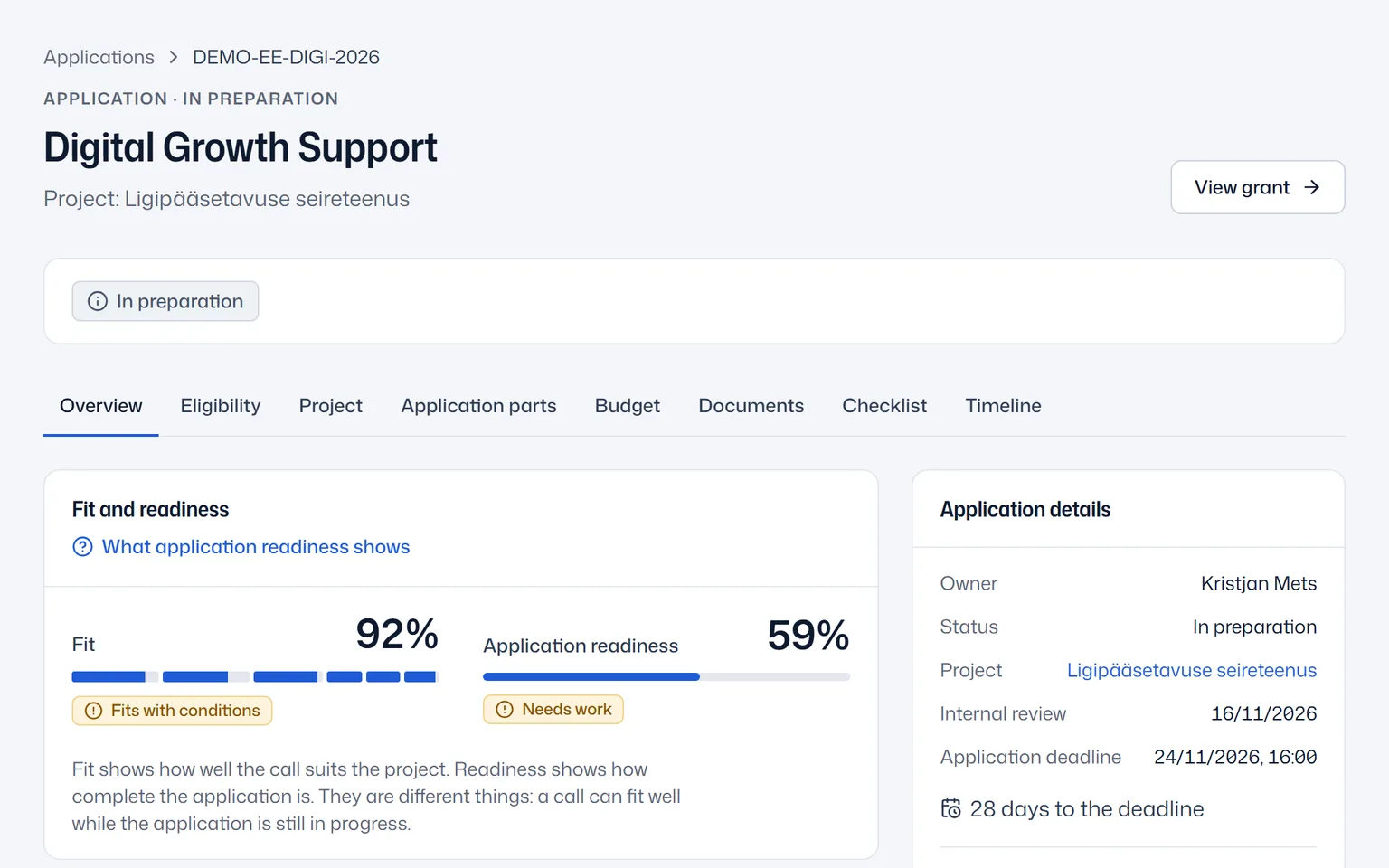
- “Overview” - fit and readiness, the next steps, the tasks, who is responsible and the internal review day.
- “Eligibility” - the call's requirements for this project. You answer them in the requirements table on the call's page.
- “Application parts” - the parts of the application and their drafts.
- “Budget” - see project budget and own contribution.
- “Documents” - the documents the call requires and files from the company's documents. A document attached for a requirement counts towards readiness; removing it does not delete the file.
- “Checklist” - each item is Done, Needs attention, Missing or To do, and says what is missing and where to fix it.
- “Timeline” - the call's dates, the internal review and the tasks' due dates.
The tab “Partners” is there only when the call requires partners, and “Programme” when the call has a programme template.
Parts and drafts
“Write a draft” writes a part's draft only from confirmed data: the company's details, the call's terms, the project's facts, the team and the budget lines. Every paragraph shows its sources. What the data lacks, Hankevo does not write; it says where to add it. When your workspace shows the option “Word it with a language model”, a language model rewords the same text; otherwise you see the text written from the data. You can edit the text, but Hankevo does not check what is written by hand. Set a finished part to “Approved”.
Fit and readiness are two different numbers
“Fit” says how well the call suits the project. “Application readiness” says how complete the application is: data, parts, documents and budget. A call can fit well while the application has barely begun. “Ready for submission” requires that nothing is missing and every part is approved.
Status and submission
A person changes the status. Choose “Send to review” when the team reviews the application, and “Mark as submitted” only once you have submitted it in the funder's system. Hankevo does not submit for you and does not know whether the application arrived. A submitted or withdrawn application cannot be changed; the work done on it is kept.
Last checked October 19, 2026