Grant eligibility
Why eligibility depends on the project, and what TRL, SME status, partners, own contribution and the requirement statuses on a call's page mean.
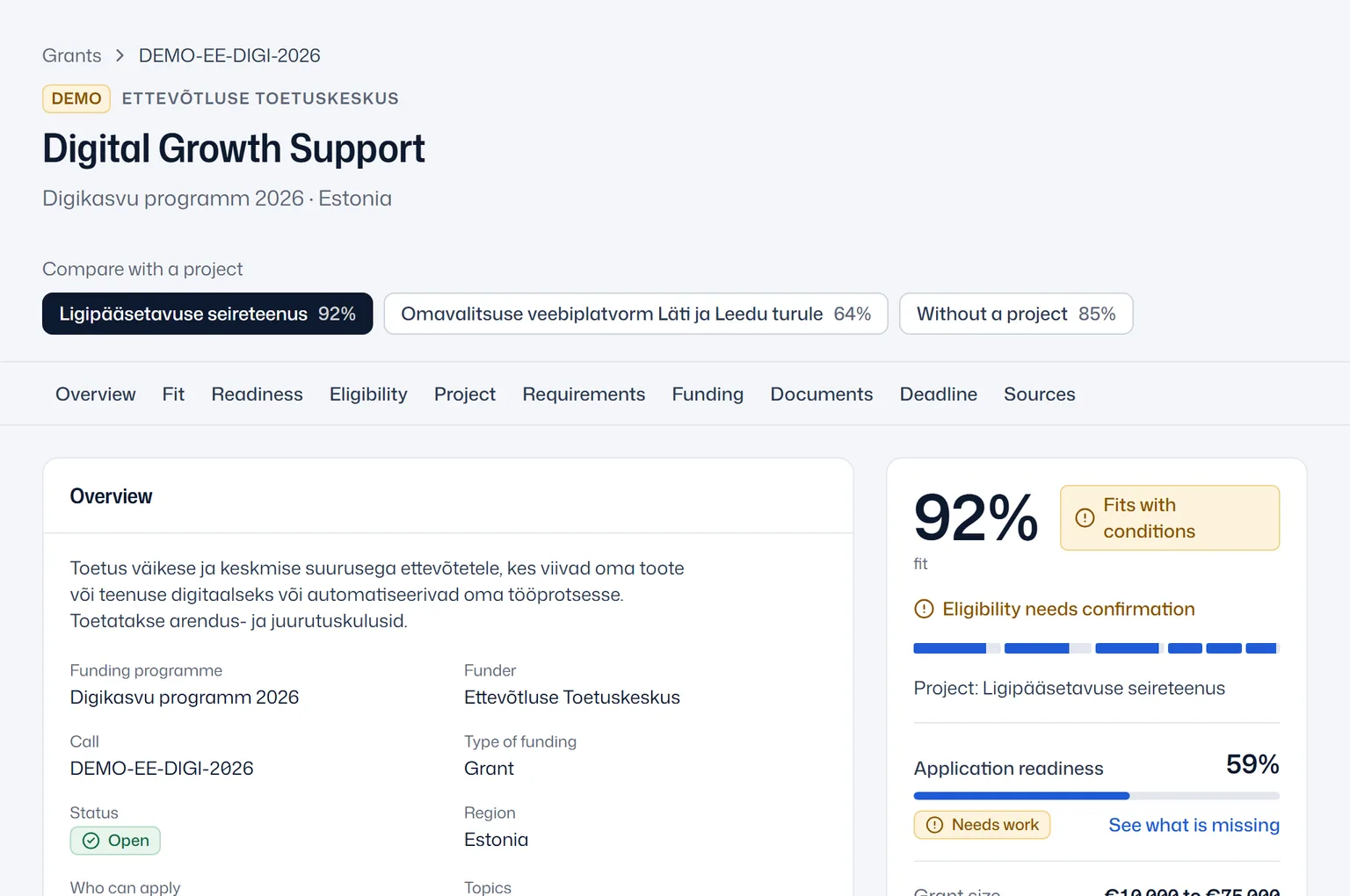
A call's page gives two answers. The fit percentage says how well the call matches your company and project; eligibility says whether its mandatory conditions are met. Fit, qualification and readiness explains the difference; this guide covers grants.
Why eligibility depends on the project
On a call's page, “Eligibility” sorts the requirements into Company, Project and Funding. The first is judged from the company's data, the others only from a project: its maturity, budget and partners. One call may suit one of your projects and not another. Without a project, the project requirements stay at “Information required” and the rating is never better than “Fits with conditions”.
Four conclusions
- Eligible - every known mandatory requirement is met, on confirmed data, approved evidence or a declaration the call accepts.
- Eligibility needs confirmation - a mandatory requirement, or the data for it, waits for a person.
- Currently not eligible - a mandatory requirement is not met: a blocker, which outweighs any percentage.
- Eligibility not assessed - no mandatory requirement is known, so nothing is concluded either way.
Requirement statuses
- Met - shown by confirmed data, by evidence an owner or administrator approved, or by the applicant's declaration where the call's conditions accept one.
- Not met - shown by confirmed data or your answer “We do not meet it”.
- Likely met - the figures fit, but something is not confirmed.
- Needs confirmation - the data cannot decide it: answer for the company.
- Information required - a fact is missing from the profile or project.
- Requirement not reviewed - a language model read it from a document and nobody has reviewed it; until you confirm or reject it, it is neither met nor blocking.
Under “Requirements” a member who can edit answers a requirement: “We meet it”, “We do not meet it” or “Does not apply”. Answer as things are. “We meet it” alone does not make a requirement met: it waits for confirmation until you add documents of the company profile with “Add evidence”. An owner or administrator approves the evidence for a mandatory requirement; Hankevo does not read the documents. Where the call's conditions let the applicant meet a requirement by its declaration, your answer counts as that declaration, and what it declares is still not verified. When a mandatory requirement is not met, add real evidence, choose another call or find a partner.
A “not met” that Hankevo computed from your data is never turned into “met” by a word. Where the call allows another way to meet a mandatory requirement, choose “We qualify another way” and say how you read the requirement, where the call allows the route, and the evidence. Setting a mandatory requirement aside and rejecting a mandatory requirement a model read are claims too: each holds once an owner or administrator approves it, and until then the requirement keeps its status. How claims are decided, and their history, is explained in requirements and blockers.
What Hankevo checks itself
Where a call states a condition as a fixed value, such as a minimum or a ceiling, Hankevo compares it with your data:
- TRL - the project's technology readiness level against the call's minimum. It is never derived from the project's stage: you choose it.
- Company size and SME status - the latest financial year's employees and turnover give a size class. The result stays “Likely met” until you confirm in the company profile, under “Grant data”, that the company is autonomous.
- Partners and consortium - the project's partners and their countries against the call's minimum.
- Own contribution - your share of the budget against the call's minimum.
- Minimum turnover - the call's minimum against your turnover in the financial years that ended last. Only figures from the business register, or ones a person confirmed, decide; figures for earlier years are shown and wait for your answer.
The country of registration, main activity, company age, project budget and duration, and de minimis aid are checked the same way. An unconfirmed project value decides nothing. The conditions of calls from the EU portal are mostly text, not values: they wait for your answer.
Eligible is not funded
Eligibility says whether you can apply, not whether you will be funded: the funder evaluates applications by its own criteria, and Hankevo does not predict the result. The requirements are read from the call's text and documents and may be incomplete, so read the conditions in the funder's official source before you apply. An AI assessment, where your workspace offers one, is a suggestion, never a decision: see checking AI results.
Last checked November 27, 2026