Creating a project
How to add a project you want funded - objective, innovation, market, stage and TRL - and why a call cannot be judged without a project.
A grant is not given to a company in general but to a specific piece of work. In Hankevo that work is a project: what you want to do, for whom, how far it has come and what it costs. Every funding call is compared with each project separately.
Before you start
Owners, administrators and members add and edit projects; a viewer only reads. A few sentences are enough to begin: you add the rest when a call asks for it.
Add a project
- Open Projects and choose “Add project”.
- Fill in the form “New project”: “Project name”, “What are you building?”, “What problem does it solve?”, “Who will use it?”, “Current stage”, “Estimated budget (in euros)” and “When do you want to start?”. Only the name and the description are required.
- Choose “Create project”.
Hankevo then compares the open and forthcoming calls with the project; the results appear after a short while.
The parts of a project
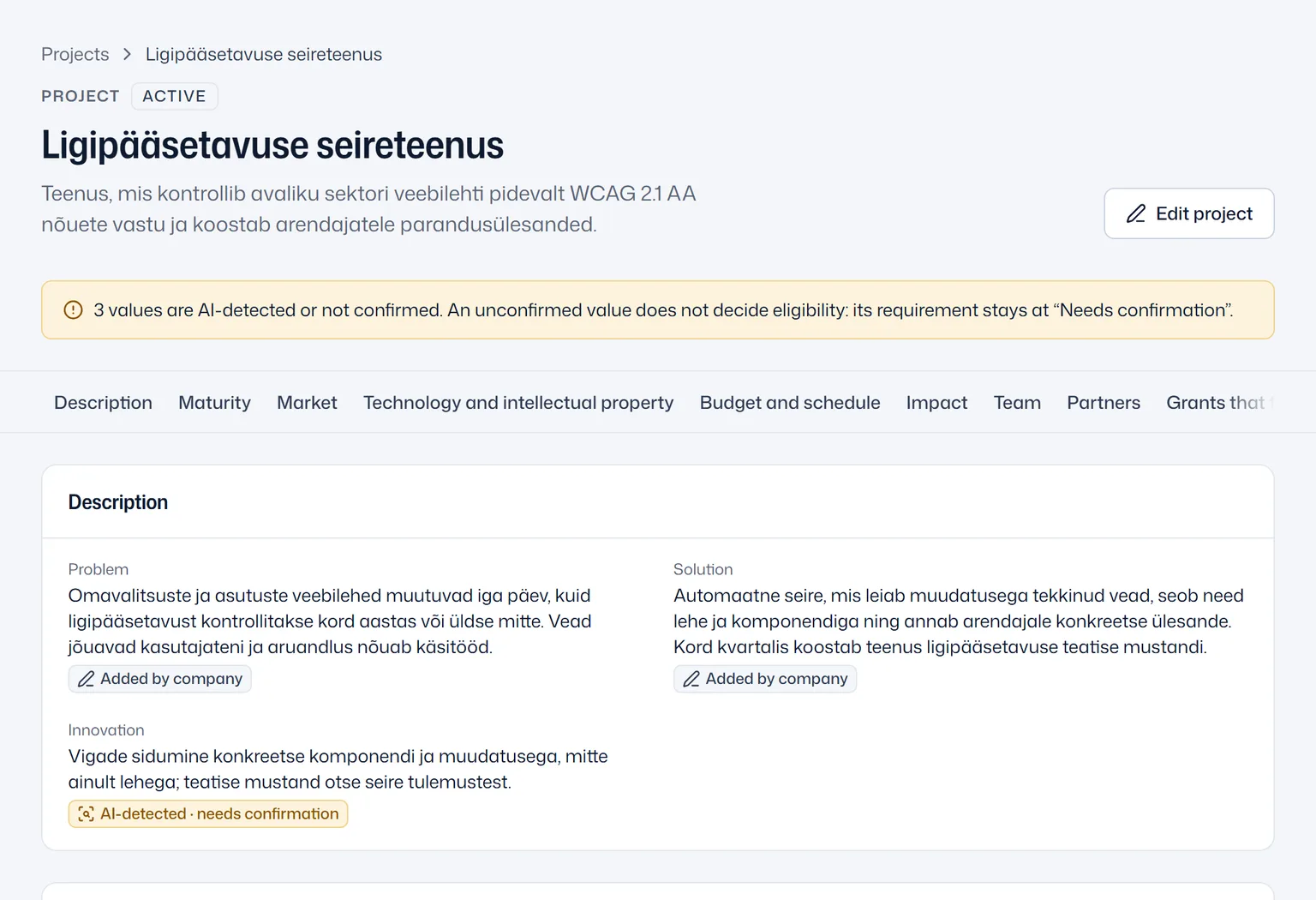
On the project's page each part has its own “Edit” button:
- “Description” - the problem, the solution and the innovation: how your solution differs from what already exists.
- “Maturity” - the current stage, the progress so far and the technology readiness level (TRL).
- “Market” - customers and markets.
- “Impact” - the expected impact, including on the environment, digitalisation and export.
- “Technology and intellectual property”, “Team” and “Partners”.
- “Budget and schedule” - see project budget and own contribution.
There is no separate “objective” field: the description, the problem and the expected impact say what the project aims at. The team's people come from the Team page; in the project you add what each one does.
Stage and TRL
The stage (Idea, Concept, Prototype, Pilot use, On the market) says where the project stands in your own words. The TRL is the funders' scale of nine levels, from “Basic principles observed” to “System proven in an operational environment”. Hankevo does not derive the TRL from the stage: choose it only when you are sure, because a call may ask for a minimum level and a wrong level gives a wrong result.
Why a call cannot be judged without a project
Without a project Hankevo compares calls with the company's data alone. Project eligibility, maturity and financial fit are not counted, the rating is never better than “Fits with conditions”, and no application can be prepared. The part “Grants that fit” of the project's page lists the calls compared with this project, the best first.
Keep in mind
- The project's page names the facts still missing for checking grant conditions, such as the TRL, the budget or the partners.
- Partners have three answers: “Not known yet”, “No, we do it alone” and “Yes”. “No” is an answer too: you do the project alone.
- Archive a project you no longer pursue instead of deleting it: an archived project is not compared with calls. A project with an application cannot be deleted at all.
- Write only what is true: Hankevo uses these facts to judge eligibility and to write drafts.
Last checked October 19, 2026