High fit but blocked, or evidence missing
What a blocking requirement means at a high fit, how it differs from evidence that is missing or unconfirmed, and what you can honestly do next.
Fit and qualification are two separate answers. Fit says how close a tender or a grant is to your work. Qualification (for a grant, eligibility) says whether the mandatory conditions are met. A high percentage does not outweigh one mandatory condition, so a tender can fit very well and still be blocked. The guide on fit and qualification explains the two in full.
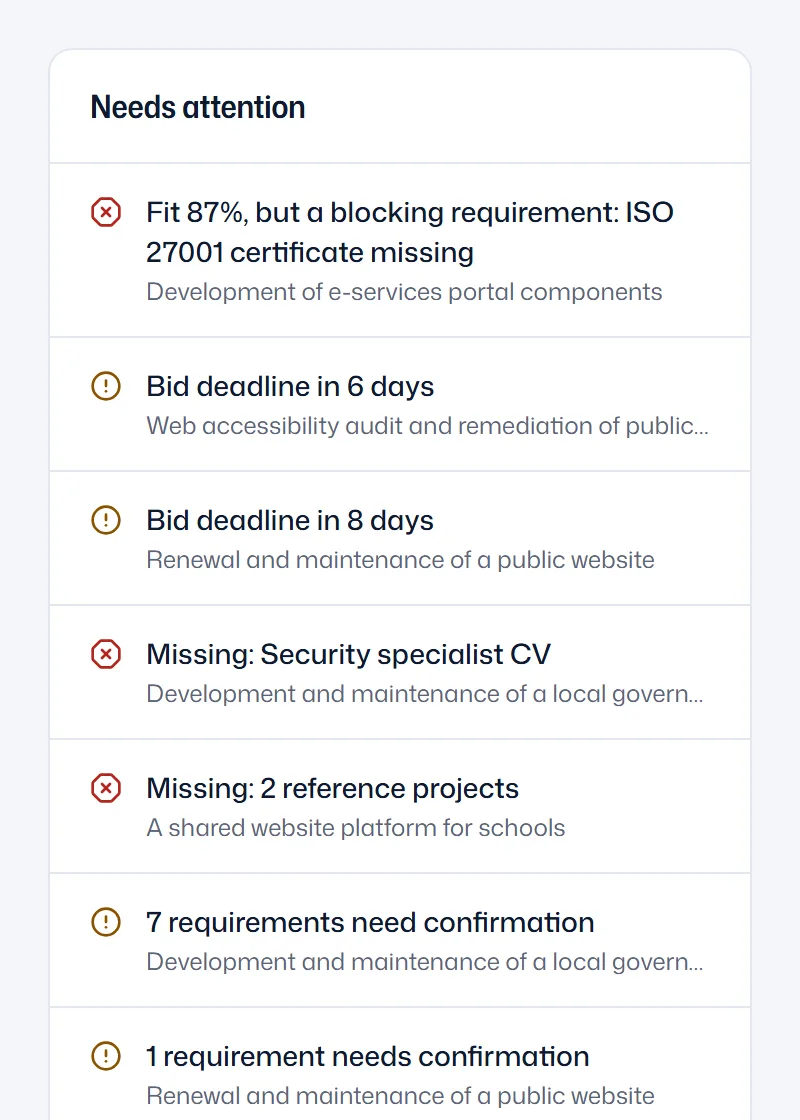
Three states that are easy to mix up
- Blocking - a mandatory requirement is known not to be met. Either confirmed data shows it, or your company answered We do not meet it. The tender then reads Does not qualify now and the recommendation is Not recommended, however high the fit.
- Not in the profile - your profile holds no evidence for the requirement. That is not a failure: Hankevo does not know yet.
- Needs confirmation - the evidence exists but nobody has confirmed it, or only a person can judge the requirement.
While something waits in the last two states, the tender reads Qualification needs confirmation and the recommendation cannot be higher than Fits with conditions. For a grant the same three read Blocking, Information required and Needs confirmation.
What you can do
- Open the requirement. On the tender page, Requirements lists blocking requirements first, each with its source. Read the source: is it really a condition for your bid?
- Add real evidence. Where the profile has nothing, the row links to the place to add it: a certificate, a reference, a team member with a CV, a financial year. Add only what your company actually holds.
- Correct the profile. Confirm or fix data that is unconfirmed or out of date. Register data is changed in the Business Register itself.
- Answer the requirement. Where Hankevo cannot check it from the profile, answer We do not meet it, or We meet it and attach the evidence with Add evidence: the company's word alone keeps the requirement at Needs confirmation. If the tender is divided into lots, choose the lots you bid for under Lots you bid for: the requirements of the other lots then do not apply. If a requirement does not concern your bid for another reason, choose Does not apply and write the reason.
- Choose another opportunity. A blocker you cannot remedy before the deadline is a reason to spend the time elsewhere.
- Find a partner. A grant that requires partners is answered by adding real partners to the project. For a tender, Hankevo compares the requirements with your own company's data; whether a joint bid or a subcontractor's capacity counts is stated in the tender documents. Where they allow it, answer We qualify another way with the evidence: while an owner or administrator has not decided, the requirement does not block, and where the documents prohibit relying on another entity, the answer does not count.
Last checked October 26, 2026