Bid workspace
How to start a bid from a tender, what the checklist, tasks and deadlines show, and what bid readiness counts and what it does not.
A bid workspace is where your team prepares the bid for one tender: what has to be done, who does it and what is missing. A person submits the finished bid in the official procurement register; Hankevo submits nothing.
Before you start
A workspace needs a decision to bid. The tender has to be open and its deadline not passed. The owner, administrators and members prepare bids; a viewer can read them.
Opening a workspace
- Open the tender and go to Recommendation.
- In the panel Your decision, choose We will bid and save.
- Press Prepare the bid. The workspace opens; later you find it under Bids, where each bid shows its status, readiness, open tasks and deadline.
What the workspace holds
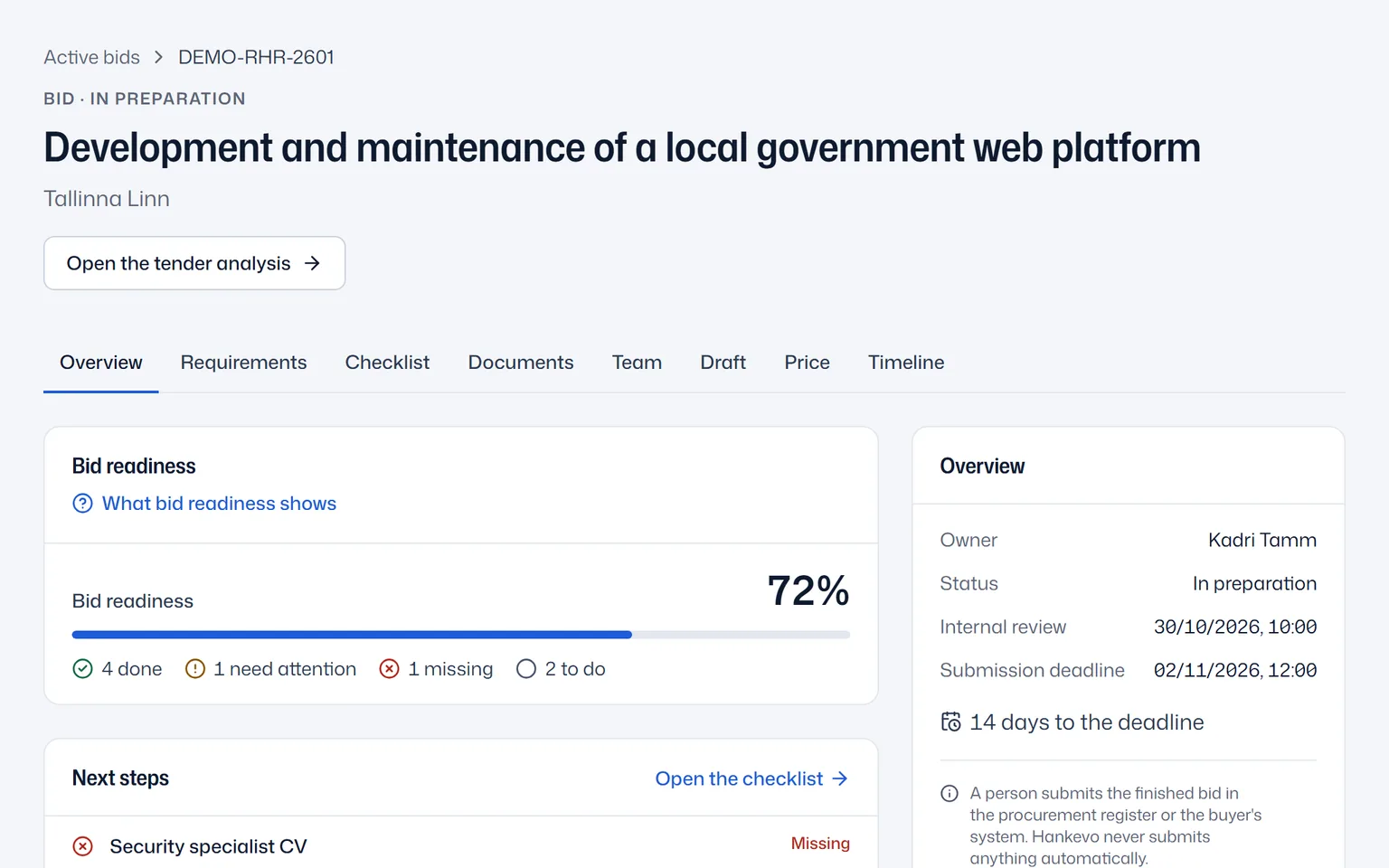
Overview shows readiness, the next steps and the bid details. With Change details you set the responsible person, the day of the internal review and the planned price. The other tabs are Requirements, Checklist, Documents, Team, Draft, Price and Timeline.
Checklist and tasks
You do not fill in the checklist by hand: it comes from the tender's requirements, the bid team, the tasks and the Business Register data, and it changes with them. Its groups are Company, Requirements, Team and Work. Each item is Done, Needs attention, Missing or To do, with a link to the place where it is fixed. You confirm and answer requirements on the tender page.
A new workspace has four tasks: Technical proposal, Price offer, Forms and ESPD and Internal review. Add a task adds one of your own. A task can have a responsible member and a due date; Start and Mark done change its state.
Deadlines
The submission deadline comes from the notice and cannot be changed in Hankevo. For your own team you set the day of the internal review and the due dates of tasks. Timeline shows them all together with today. A task past its due date is marked in the list.
What readiness counts
Bid readiness is the weighted share of the checklist that is ready. Mandatory requirements weigh the most; the weights are stated beside the checklist. An item that is done counts in full, one in progress counts in part, and a missing or untouched one counts nothing. An item that needs attention counts in part once something has been done towards it, such as a requirement the profile meets that waits for a review; while it still waits for the company's answer or choice, it counts nothing. A task that goes overdue counts no more than it did before.
Readiness does not read the text of the draft, the files added to the bid or the price you enter: they count only through the tasks your team marks as done. A blocking requirement is shown beside readiness, separately, because the percentage alone does not say whether you can take part. High readiness does not mean that the bid meets the conditions or is good. It says only how much of the list is done.
Last checked October 19, 2026