Recommendation to bid or not
What Hankevo's recommendation to bid or not is based on, why a high fit can be held back, and how to record your own decision.
The Recommendation section of a tender page says whether, in Hankevo's assessment, the tender is worth bidding for, and gives the reasons. A recommendation is advice. You make the decision, and Hankevo only records it.
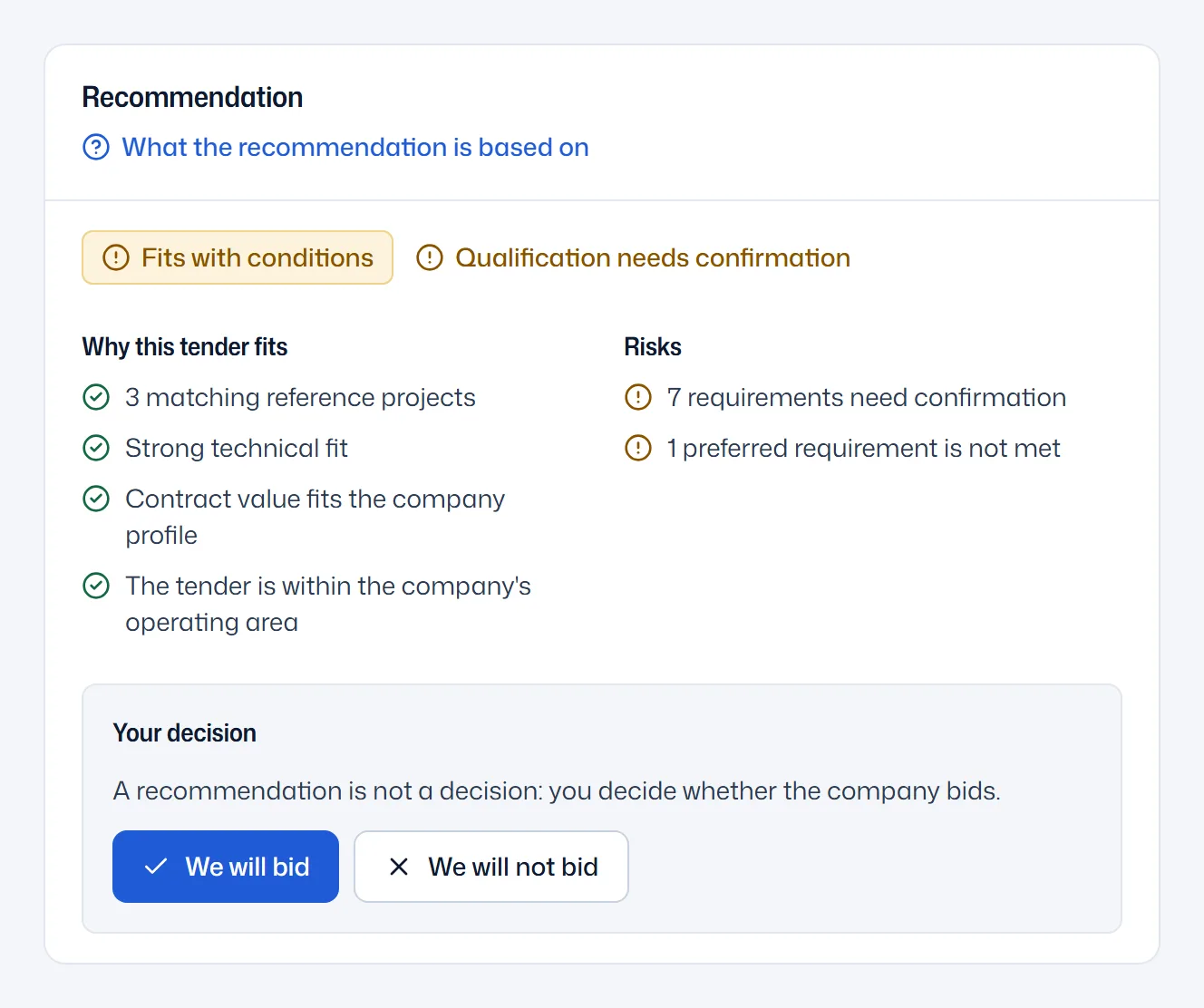
The four recommendations
- Strong fit - the fit is high and qualification is confirmed.
- Fits with conditions - the fit is in the middle range, or it is high while qualification still needs confirmation.
- Weak fit - the fit is below the middle range.
- Not recommended - the fit is low, a mandatory requirement is not met, or the deadline has passed.
The exact limits are on the tender page, under How the recommendation is made.
What it is based on
A recommendation comes from two things: the fit percentage and qualification. Why this recommendation says in one sentence which rule gave this tender its recommendation. What speaks for it lists the facts of your profile that support the tender. What to check names what needs attention: a short deadline, requirements waiting for confirmation, the contract value or the region.
Why a high fit can be held back
Fit shows how well a tender matches what your company does. It does not say whether the mandatory conditions are met. That is why:
- a blocking requirement gives Not recommended, however high the fit;
- while a mandatory requirement waits for confirmation, has no evidence in the profile, or was read from a document and not reviewed, the recommendation stays at Fits with conditions;
- the same holds while the qualification conditions are not known yet, for example when they are in tender documents that have not been added or analysed.
What would change the recommendation names what to do: review the requirements, answer them, confirm data in the profile or add the tender documents. For the statuses, see the guide on requirements and blockers.
Your decision
- Read the recommendation and the requirements.
- In the panel Your decision, choose We will bid or We will not bid.
- If you decide to bid although Hankevo found blocking requirements, write the reason. If you do not bid, choose the reason from the list.
- Save. Hankevo stores the decision with the recommendation that held at that moment.
A decision can be changed and, until a bid is being prepared, taken back. If the recommendation changes later, Hankevo shows that beside the decision and does not change the decision. After the submission deadline you can no longer decide to bid. The owner, administrators and members decide. When Hankevo gives no recommendation, because the tender is not an opportunity for you or has not been compared yet, you can still decide.
Last checked October 19, 2026