Notifications and reminders
What the bell shows, when digests and deadline reminders arrive, and how to choose which of them you also get by email.
Hankevo tells you when it finds a new matching tender or grant and when a deadline is coming. Notifications are always visible in Hankevo; email is an extra.
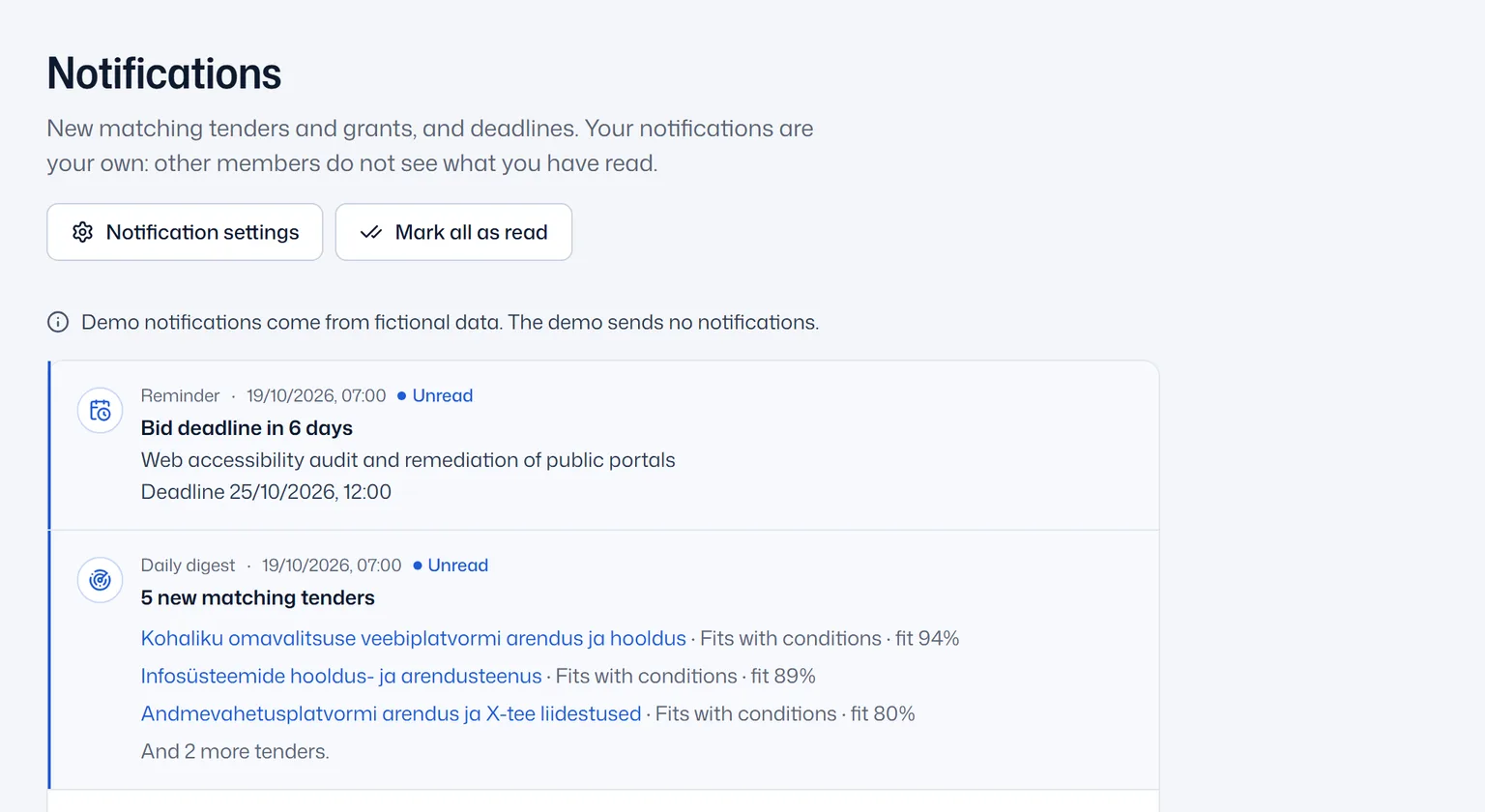
The bell and the notifications page
The bell is beside the logo at the top of the menu, and in the top bar on a phone. The number on it counts your unread notifications. Press the bell to open Notifications: the newest come first, and an unread one carries the mark Unread. Clicking a notification takes you to the tender, the bid or the funding call and marks it as read. Mark all as read does that for all of them at once.
Notifications are your own: other members do not see what you have read.
The kinds of notification
- Daily digest. A morning summary of new tenders that fit strongly or with conditions. On a day with nothing new, no digest comes.
- Important opportunity. Comes on its own when a strong fit is found.
- Reminder. The bid deadline of a tender you decided to take part in, a task assigned to you, or a bid's internal review.
- Grants. Grant summary, Call opening, Grant reminder and Call change.
Every member of the workspace gets the digest, the important opportunities and the bid deadline reminders. A task reminder goes to the person the task is assigned to, and a review reminder to the person responsible for the bid.
- Open Settings, section Notifications.
- Under Emails, tick what you want emailed: Daily digest, Important opportunities, Reminders or Grants. The line under each choice says when that email is sent.
- Choose the Language of the emails and press Save notifications.
The choice is your own and applies in this organization.
When there are no notifications
An empty page says “No notifications yet.” The first digest comes after Hankevo has compared tenders or grants with your profile. If the profile does not yet say what the company does, there is nothing to compare: see services, sectors and preferences. If a comparison has run and still nothing arrives, read about analysis and sync problems.
Limits
A reminder is an aid. Always check a deadline in the official notice, because the buyer or the funder can change it. Hankevo does not submit a bid or an application for you.
In the demo the notifications come from fictional data, no email is sent and the settings are not saved.
Last checked October 19, 2026